
What Are MIDI FX Plugins?
MIDI FX plugins transform MIDI data (notes, chords, velocity) before it reaches your virtual instruments. Unlike audio effects that shape sound, MIDI FX reshape the raw performance data from your keyboard or MIDI clips before sending it to synths and samplers.
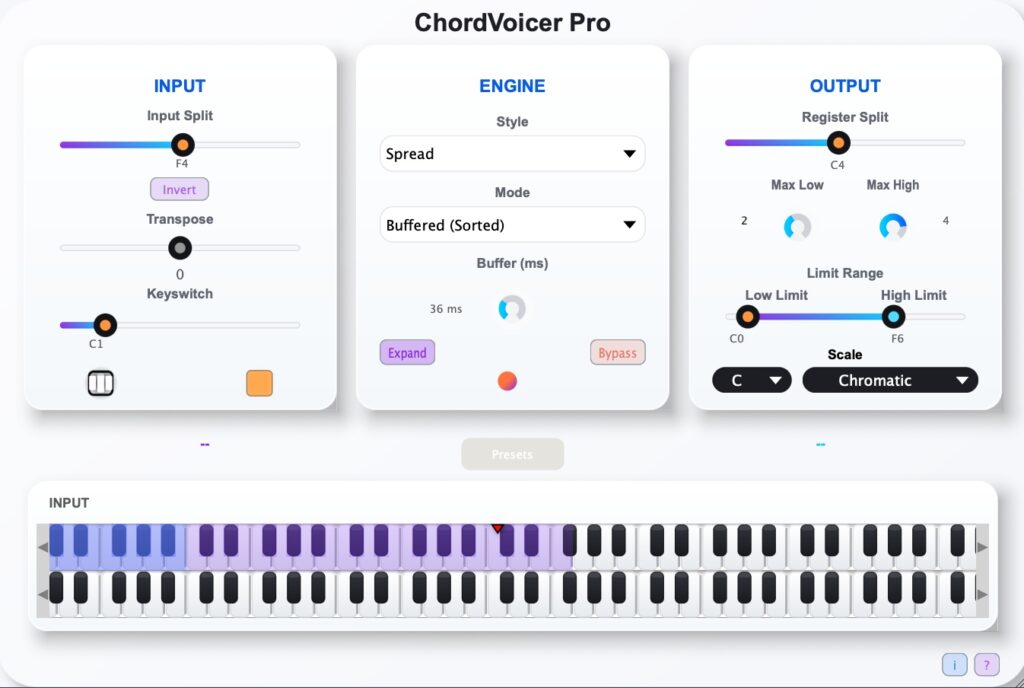
Chord Voicer Pro is a specialized voicing plugin that sits upstream from instruments, converting simple inputs into rich, intelligent chord voicings in real time.
MIDI FX vs Instruments: Core Difference
| Voicing Plugin (Chord Voicer Pro) | Instrument Plugin | |
|---|---|---|
| Processes | MIDI chord structures | Final audio output |
| Position | Always before instruments | End of MIDI chain |
| Creates sound? | No — delivers voiced MIDI | Yes — generates audio |
| Purpose | Chord intelligence & voicing | Sound generation |
Key Point: Chord Voicer Pro produces no sound — it enhances your MIDI with professional chord voicings.
Universal Voicing Workflow
Same principle across all DAWs:
- Load Chord Voicer Pro as MIDI FX
- Add target instrument (synth/sampler) downstream
- Route MIDI: Chord Voicer Pro → Instrument
- Play — get instant intelligent chord voicing
Logic Pro X: Simplest Setup
Logic’s dedicated MIDI FX slots make Chord Voicer Pro setup effortless.
3-Step Process:
- Software Instrument track → MIDI FX slot → Chord Voicer Pro
- Instrument slot → Any synth (Serum, Massive, Sylenth1, etc.)
- Select voicing style → Play chords instantly
Pro Move: Logic 10.7.5+ → Right-click MIDI FX → “Record Voiced MIDI”
Ableton Live: Track Routing
Ableton uses MIDI track chaining.
Setup:
- Track 1: Chord Voicer Pro (MIDI track)
- Track 2: Target synth (MIDI track)
- Track 2 “MIDI From” → Chord Voicer Pro
- Arm Track 1, monitor Track 2
- Single keystroke → Full chord voicings
Cubase: Native MIDI Inserts
Clean single-track workflow:
- Instrument Track → Load synth
- MIDI Inserts → Chord Voicer Pro (position 1)
- Choose voicing preset → Play
FL Studio: Port Routing
VST port linking:
- Track 1: Chord Voicer Pro VST
- Track 2: Target synth VST
- Chord Voicer Pro: Settings → Output Port 1
- Synth: Settings → Input Port 1
- Voiced chords flow automatically
Studio One: Input Linking
Dual track method:
- Track 1: Chord Voicer Pro MFX
- Track 2: Target instrument
- Track 2 MIDI Input → Chord Voicer Pro
- Arm + monitor → Voiced output
Reaper: Input FX Chain
Single track elegance:
- Instrument track → IN FX → Chord Voicer Pro
- All incoming MIDI auto-voiced
Recording Voiced Chords
Capture Chord Voicer Pro output:
- Logic: MIDI FX → Record to Track
- Ableton: Record-arm receiving instrument track
- Cubase/FL/Reaper: Record downstream track
Pro Voicing Tips
- Positioning: Chord Voicer Pro always before instruments
- Works with any synth — no special compatibility needed
- No MIDI FX support? Use Chord Voicer Pro Standalone + virtual MIDI
- FX chaining: Try Chord Voicer Pro → arpeggiator vs arpeggiator → Chord Voicer Pro