
Your Chords. Professionally Voiced. Instantly!
Translate the music in your head into lush, emotional, professional-quality voicing without changing how you play


Chord Voicer Pro
- MIDI FX plugin compatible with all major DAWs
- Create rich, full, cinematic chord voicings
- No generative AI — no randomly generated patterns
- Intelligently transforms your playing into lush, professional-sounding chords
You hear it. Your fingers know where to go. But somewhere between your intention and your speakers, something gets lost.
Chord Voicer Pro bridges that gap — amplifying your authentic playing with professional voicing patterns refined by producers and orchestrators over decades. No generative AI. No randomly generated patterns. Just your music, voiced the way it deserves to be heard.
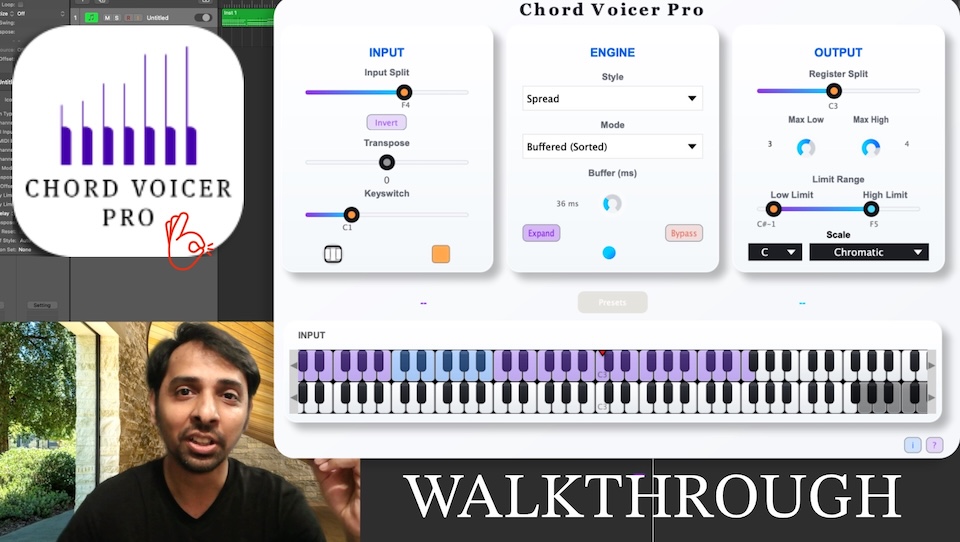
Walkthrough


Hear it in Action!
Try Free for 14 Days — No Commitment
Get the Trial Download
Enter your email and we will send the trial download links right away.
Chord Voicer Pro Hover Learn
Hover over the dots to learn about the features


Chord Voicer Pro
Hear it in Action!
FAQ
Chord Voicer Pro is a MIDI FX Plugin — it does not generate sounds on its own. It works as an intelligent middle layer between you and your instruments, and requires a DAW with a soft synth or sampler to produce audio.
Hi, I'm Jithendra — a music producer with 20 years of experience based in Chennai, India. This plugin was originally built for my own sessions, and I'm now releasing it so other producers can benefit from it too. I hope you enjoy using it as much as I have.
Download a free trial of Chord Voicer Pro here.
Chord Voicer Pro generates voicings, not chords — which makes it genre-agnostic. Whether you're scoring for film, producing pop, or writing jazz, it adapts naturally to your playing style.
Plugin formats: VST3, AU(64-bit). A standalone version is also included.
Platforms: macOS 13 and above, including native Apple Silicon (M-chip) support. Windows 10 and above.
Supported DAWs: Ableton Live 9+, Logic Pro X, FL Studio, Bitwig Studio, Cubase, Studio One, Reaper, Pro Tools, and more.
Version History
Released: 22/09/2026
To download the latest version please visit Trial page here or My Licenses page here For older versions for Contact Page
Introduced a sleek, redesigned user interface engineered for smoother navigation and faster workflow.
Improved chord expansion and transposition accuracy across complex progressions.
Enhanced tracking reliability and responsiveness during rapid chord changes.
Released: 24/04/2026
To download the latest version please visit Trial page here or My Licenses page here For older versions for Contact Page
Fixed compatibility issues affecting some Intel-based Mac systems.
You can now automate Scale settings.
Scale settings are now saved with presets and retained within projects.
Addressed multiple voicing balance issues for more consistent results.
Released: 06/04/2026
To download the latest version please visit Trial page here or My Licenses page here For older versions for Contact Page
Legacy Hardware Compatibility: Fixed an issue where the Standalone version failed to launch on older Mac and Windows devices. This update optimizes resource handling to ensure stable performance across a wider range of hardware generations.
New: Version Skipping: Based on user feedback, you can now choose to skip specific update notifications. If a particular version isn't a priority for your workflow, you can silence the prompt until the next release is available.
Released: 04/04/2026
To download the latest version please visit Trial page here or My Licenses page here For older versions for Contact Page
Urgent: This is a mandatory update for Windows users to ensure the safety of your plugin folders. We sincerely apologize for this error and the frustration it caused.
Critical Windows Fix: Uninstaller Logic: We have completely rebuilt the Windows uninstaller to fix a serious issue where installing in custom folders could lead to the accidental deletion of parent directories. Mac users unaffected.
Protected Directory Handling: The uninstaller is now strictly limited to removing only Chord Voicer Pro files. This ensures your custom VST3 and standalone folders—and any other plugins stored within them—remain completely safe.
Released: 03/04/2026
To download the latest version please visit Trial page here or My Licenses page here For older versions for Contact Page
New Feature: MIDI Capture & Drag-and-Drop: We’ve introduced the "Capture MIDI" feature, allowing you to record the MIDI output directly within Chord Voicer Pro. Once captured, you can simply drag and drop the MIDI file onto your DAW timeline for precise manual editing of your performances.
Integrated Update System: Staying up to date is now easier than ever. Future updates can now be detected and downloaded directly from within the plugin interface.
Licensing Stability Fix: We have resolved a rare licensing bug that caused intermittent authorization issues for a small number of users. The validation engine is now more consistent across all environments.
Released: 31/03/2026
To download the latest version please visit Trial page here or My Licenses page here For older versions for Contact Page
- Resolved DAW Categorization & Ableton Live Support: Fixed an internal routing issue that prevented Ableton Live from correctly recognizing the VST3 version as an Instrument. Chord Voicer Pro now correctly splits its architecture, ensuring seamless compatibility in Ableton while maintaining true MIDI Effect functionality for Logic Pro and GarageBand users.
- Enhanced Licensing Stability: Addressed a hardware-specific bug that caused unexpected authorization failures or dropouts on certain devices. The license validation process is now much more robust and reliable across all systems.
- Under-the-Hood Build Improvements: We have migrated to a completely new, optimized cross-platform build system. This ensures faster, cleaner, and more stable updates for both Mac and Windows users moving forward.
Released: 18/03/2026
