
AB Your Audio for All Platforms. Instantly!
Hear what your music, podcast, or video might sound like on Spotify, YouTube, Apple Music, Instagram, Amazon, and Deezer all in our LUFS meter.
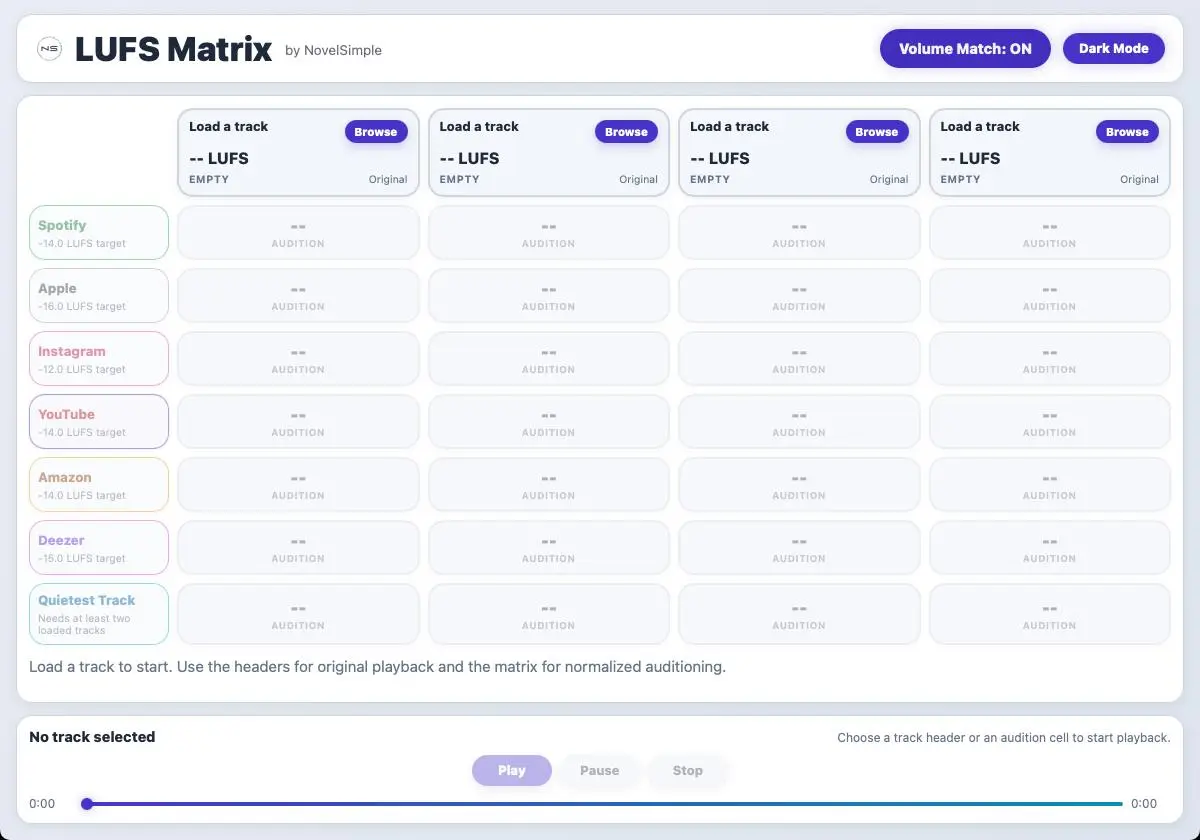
LUFS Matrix
- Monitor Loudness Matched Audio for Various Platforms
- Load 4 Different Tracks and AB on the Fly Time Synced
- Don’t just see but hear the difference Loudness Matched
- Works on macOS 11.4 and above and Windows 10 and above
- One Time Price. Use Locally forever
Your mix sounds different on every platform. Spotify turns it down. YouTube normalizes it differently. Apple does something else entirely.
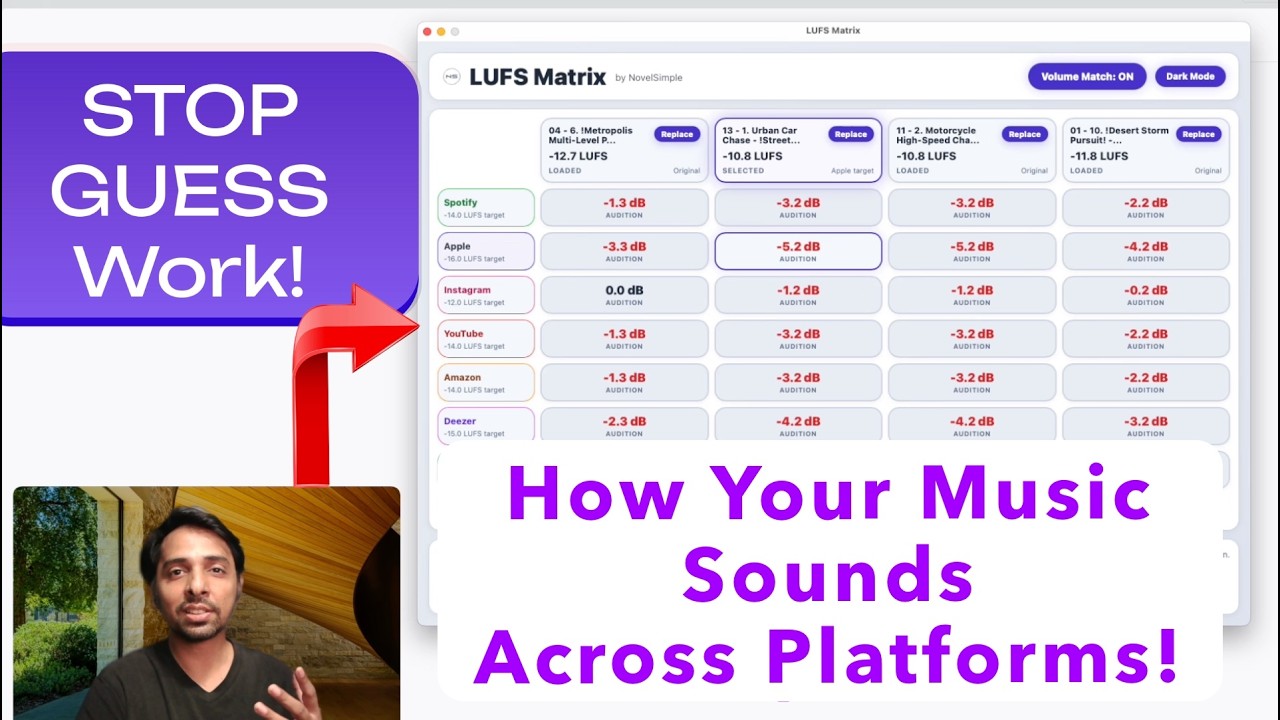
Stop guessing what your audience actually hears. With LUFS Matrix, load your audio and hear what it will sound like on Spotify, YouTube, Apple Music, Instagram, Amazon, and Deezer — before you upload.
LUFS Matrix helps you understand how different platforms adjust the volume of your audio. Load any file, pick a platform, and hear what your audio will sound like when it goes live. Compare across platforms and make better mastering decisions, all in one tool.
Walkthrough
Built for Your Workflow
Use Case 1: Music Producers & Engineers
Master with confidence. Test against real platform targets. Avoid loudness wars and ensure your mix translates everywhere.
Use Case 2: Podcasters
Balance dialogue levels across multiple episodes. Make sure all your content hits the same loudness target. Upload ready, not guess-ready.
Use Case 3: Video Creators
Check your background music and voiceovers against YouTube’s standard before publishing. Avoid comments like “turn it up” or “too loud!”
Use Case 4: Content Managers
Test entire libraries before upload. Ensure consistency across your brand’s audio content.
Try Free for 14 Days — No Commitment
Get the Trial Download
Enter your email and we will send the trial download links right away.
LUFS Matrix Hover Learn
Hover over the dots to learn about the features

Get Started in 3 Steps
Step 1: Load Your Audio
Click Browse in a track slot or drag a file directly onto the app. Supports any common audio and video format. Analysis happens automatically in a few seconds.
Step 2: Pick Your Platform
Click Spotify, Apple, YouTube, Instagram, Amazon, or Deezer. The app instantly shows you how your audio compares to that platform’s loudness standard.
Step 3: Listen and Compare
Click any cell in the platform row to hear your audio adjusted for that platform. Use the Loudness Match toggle to flip between original and adjusted. That’s it.
LUFS Matrix
FAQ
This is a reference tool based on publicly available platform information. These are guidelines to help you understand loudness expectations, not hard requirements. Platform standards may change, and edge cases exist.
Always check each platform's official guidelines before final delivery.
We don't have official partnerships with any platform — these targets represent typical loudness normalization practices based on public documentation and industry consensus.
Loudness is measured to the ITU-R BS.1770 standard (the method behind EBU R128), so the numbers line up with standard loudness meters.
Hi, I'm Jithendra — a music producer with 20 years of experience based in Chennai, India. This plugin was originally built for my own sessions, and I'm now releasing it so other producers can benefit from it too. I hope you enjoy using it as much as I have.
Click the Browse button in any track slot, or drag a file directly onto it. Works with MP3, WAV, FLAC, OGG, M4A, video files, and more.
Every audio file has a loudness level measured in LUFS (Loudness Units Relative to Full Scale). Different platforms target different levels. LUFS Matrix shows you how your file compares and what it will sound like when adjusted to match each platform's standard.
Once you load 2 or more tracks, this reference option becomes available. It uses your quietest loaded track as the standard and shows you how all your files sound at that level. Great for multi-track projects.
LUFS Matrix only turns loud tracks down. If your audio is already quieter than a platform target, it plays as is. Note that some platforms, such as Spotify, also turn quieter tracks up a little when their peaks leave room, so a quiet master may play slightly louder there.
No. Your files stay on your device. Analysis happens on your computer. We never see your audio.
Works on macOS 11.4 and above and Windows 10 and above. Need internet connection to activate product.
LUFS Matrix
Black Friday price — no code needed. Ends 3 December.
Version History
Released: 23/04/2026
To download the latest version please visit Trial page here or My Licenses page here For older versions for Contact Page
Fixed licensing issues affecting certain systems, which could cause validation failures or restricted feature access.
Improved license verification stability across different environments.
Minor bug fixes and performance enhancements.
Released: 21/04/2026
To download the latest version please visit Trial page here or My Licenses page here For older versions for Contact Page
- Upgraded Analysis Engine: Replaced the legacy approximation engine with a strict ITU-R BS.1770-5 and EBU R128 compliant measurement path.
- Broadcast-Standard Math: Integrated complete K-weighting biquad filters for true broadcast-level accuracy.
- Optimized Performance: Implemented async UI yielding, allowing you to analyze massive audio files without the app freezing or lagging.
Released: 20/04/2026