
REAL-TIME MIDI DIVISI PLUGIN FOR LOGIC PRO, CUBASE, STUDIO ONE, ABLETON LIVE AND MORE
One chord in. Six voices out.
Simple Divisi splits each chord you play into separate voices and sends each one to its own instrument, as you play. Your legato stays legato, and every part can be recorded to its own track.
Black Friday Sale: Simple Divisi is just $19.99 (was $49) until 3 December. No code needed.
AU, VST3 and standalone · Mac and Windows · Free 14-day trial
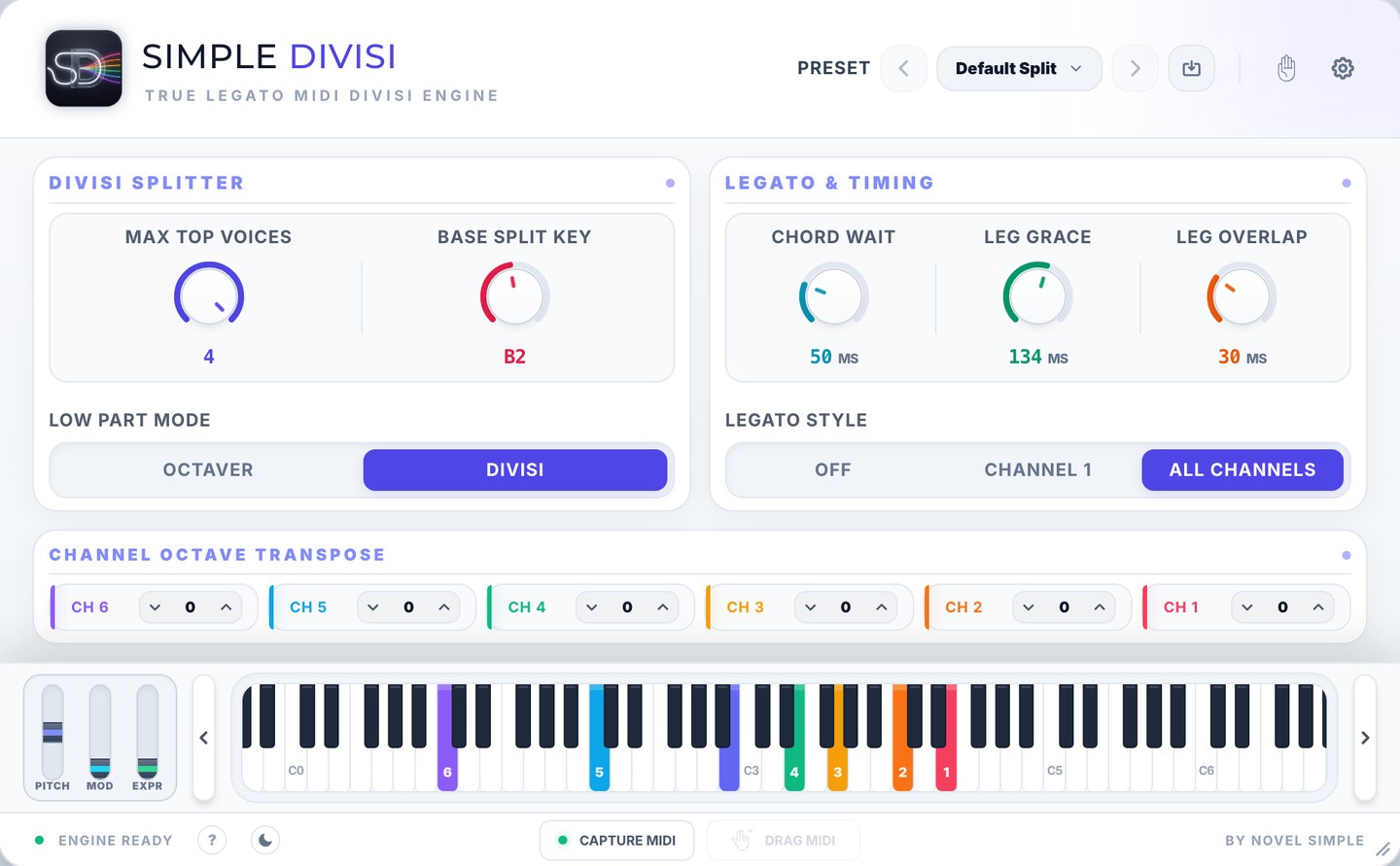
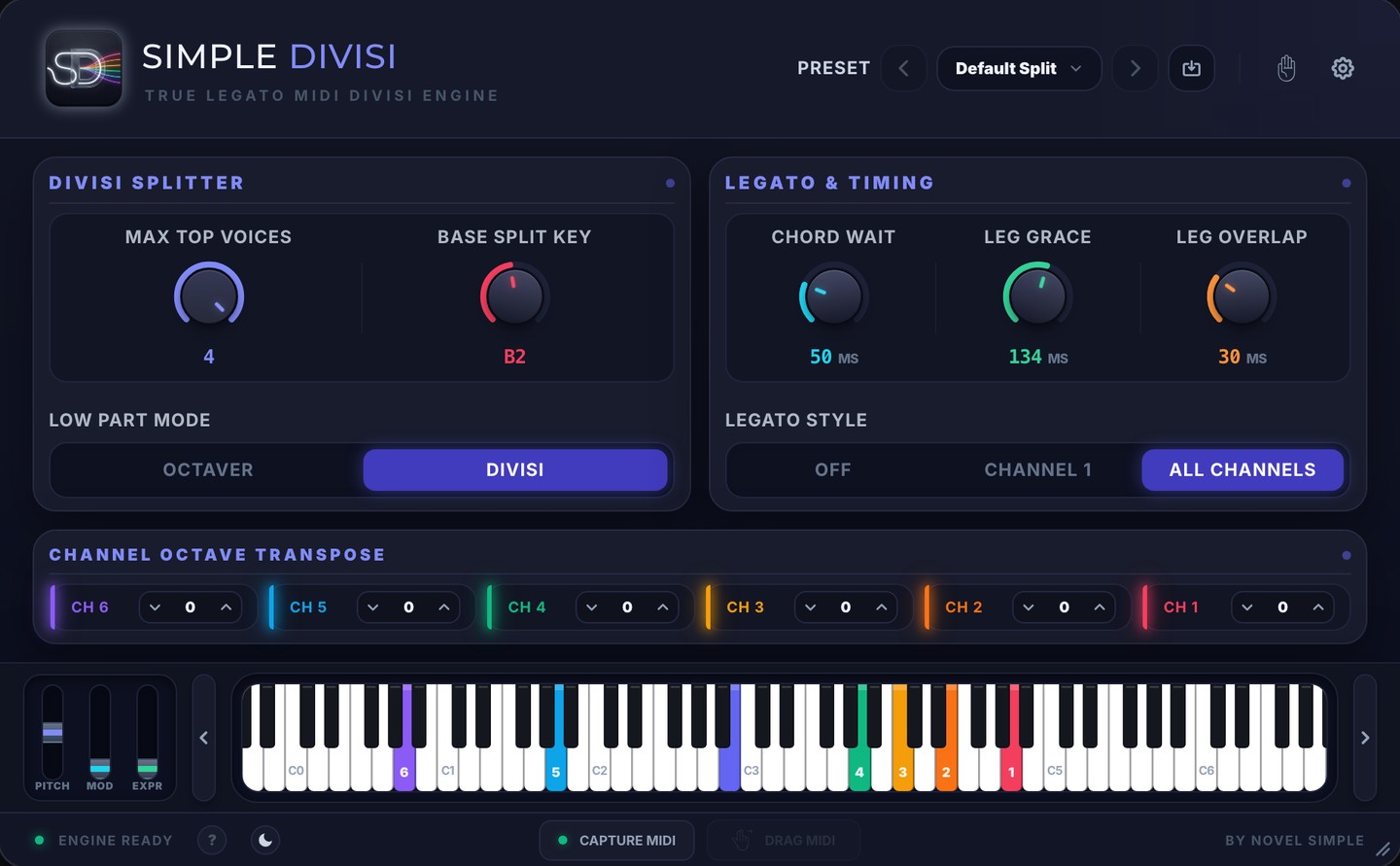
Real time
Hear every part as you play
Six voices
Four top voices and two for the bass
Legato kept
On every part, with your own library
Inside your DAW
AU, VST3 and a standalone app
See and hear it
A short film recorded live in Logic Pro, and the full walkthrough. Turn the sound on.
Live in Logic Pro
25 seconds with a woodwind section: one chord in, six voices out.
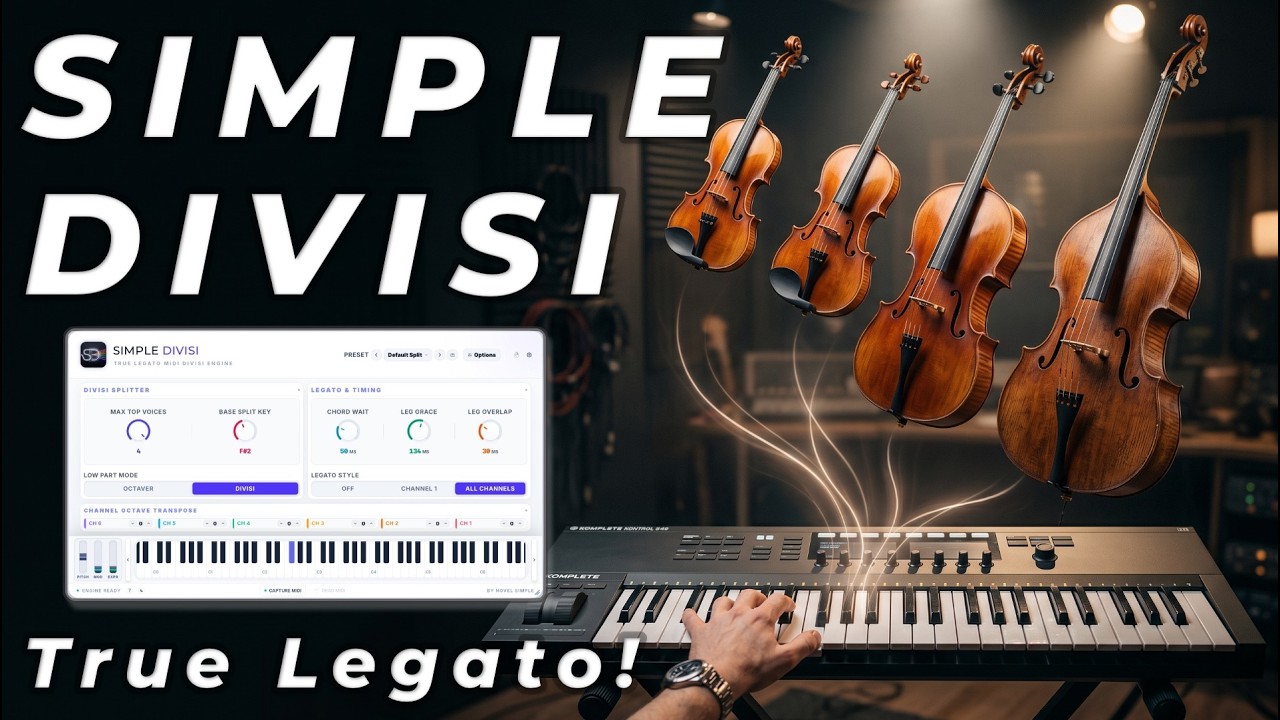
Full walkthrough
Simple Divisi from start to finish, on YouTube.
Play the parts, not the routing
Writing for a section usually means recording one part at a time, or pulling chords apart note by note afterwards. With Simple Divisi you play the chords once and hear every part on its own instrument straight away. The top note goes to channel 1, the next to channel 2, and so on, with two channels for the bass.
REAL TIME
One chord in. Six voices out.
Each note of the chord lands on its own instrument and its own track, while you play.
VOICE BY VOICE
Each voice stays on its instrument
A note you’re holding never moves to another instrument. New notes wait for a free voice, so the parts stay where you put them.
TRUE LEGATO
Legato stays legato
Sample libraries play their legato transitions when one note overlaps the next. Most MIDI splitting cuts notes short, so you lose them. Simple Divisi keeps each voice connected, so every part plays its legato transitions. Leg Grace and Leg Overlap let you match it to your library.
LEGATO STYLE
A melody stays on one instrument
With Legato Style on, a melody played with overlapping fingers stays on its instrument instead of jumping between channels.
Hear your parts as you play them
Black Friday Sale: Simple Divisi is just $19.99 (was $49) until 3 December. No code needed.
Shape the arrangement
Two ways to handle the bass
Octaver doubles your bass note an octave down. Divisi gives you two separate bass lines.
Transpose each channel by octaves
Up to four octaves up or down per channel, so every instrument sounds in its own register.
Use the instruments you already have
Kontakt, Opus or any multi-timbral instrument, or six separate tracks. Several patches can share a channel.
KEEP THE TAKE
Capture your performance
Press Capture MIDI and play. Drag the result into your DAW and it arrives as six MIDI tracks, ready to edit. Or record all six tracks live.
What you can use it for
Each of these has a preset to start from. Load it, adjust it to your instruments and save it as your own.
String writing
Violins, violas, cellos and basses from one keyboard, each line kept legato.
Start from: String Quartet (Expressive), Chamber Strings or Low Strings
Playing live
Chords sound the moment you play, with no wait.
Start from: Zero-Latency Live
More starting points
- Choir: SATB Choir
- Brass: Brass Fanfare or Brass Choir (Legato)
- Woodwinds: Woodwind Choir
- Counterpoint: Two-Voice Counterpoint
- Harp-style rolls: Slow Chord Catch
- Film swells: Sustained Pad
COMPATIBILITY
Works in your DAW
Use it in Logic Pro’s MIDI FX slot, or as a VST3 in Cubase, Studio One, Reaper and Bitwig. For Ableton Live, FL Studio and Pro Tools, the included standalone app sends the six channels through its own virtual MIDI port.
How it compares
| Simple Divisi | Divisimate Micro | Divisimate Core | Divisimate 2 | |
|---|---|---|---|---|
| Price | $49 | $49 | $149 | $249 |
| Voices | 6 (4 + 2 bass) | 4 | 8 | 8 |
| Plugin inside your DAW | Yes | Yes | Yes | Yes |
| Standalone app | Yes | No | No | Yes |
| Legato handling for sample libraries | Yes | Not mentioned | Not mentioned | Not mentioned |
Regular prices and features from each maker’s page, checked 6 November 2026. “Not mentioned” means their page doesn’t describe it.
One payment. Yours to keep.
- Six output channels with legato on every part
- AU, VST3 and a standalone app
- Mac and Windows
- Logic Pro, Cubase, Studio One, Reaper, Bitwig, Ableton Live, FL Studio and Pro Tools
- Capture and drag six MIDI tracks
- Try everything free for 14 days first
Black Friday Sale: Simple Divisi is just $19.99 (was $49) until 3 December. No code needed.
Requires macOS 10.15 or later, or Windows 10 or later. Makes no sound itself: use it with your own instruments.
Get the Trial Download
Enter your email and we will send the trial download links right away.
FAQ
Simple Divisi is a MIDI FX Plugin and Standalone application — it does not generate audio on its own. It acts as an intelligent middle layer between your MIDI keyboard and your favorite virtual instruments (like Kontakt, Spitfire, or your DAW's native synths).
Standard splitters divide by strict key ranges (e.g., left hand = bass, right hand = piano). Simple Divisi sorts by pitch order dynamically. If you play a 4-note chord anywhere on the upper keyboard, it instantly routes the highest note to Channel 1, the second highest to Channel 2, and so on.
Download a free trial of Simple Divisi here.
Yes! Because Ableton and FL Studio have native limitations with internal multi-channel MIDI routing, Simple Divisi includes a lightweight Standalone Application. Simply run the standalone app alongside your DAW, and it will automatically route its 6 separated channels directly into Ableton or FL via a virtual MIDI cable.
Absolutely. Simple Divisi includes a "Zero-Latency Live" factory preset. Just turn your Chord Wait and Leg Grace down to 0-10ms, and the engine responds instantly for stage use.
macOS: 10.15 Catalina or later (Native Apple Silicon M1/M2/M3/M4 & Intel support).
Windows: Windows 10 64-bit or later.
Formats: Audio Unit (AU), VST3, and Standalone Application.
Note for Windows Standalone Users: A free third-party virtual MIDI driver (like LoopMIDI) is required to route Standalone output to your DAW.
Yes, for splitting chords live across up to six instruments inside your DAW. Simple Divisi gives you four top voices and two bass voices, keeps legato transitions for sample libraries, and costs $49 as a one-time payment. Divisimate goes further: Core and Divisimate 2 handle up to eight voices and many more ports, with arpeggiators and humanising, at $149 and $249, and Divisimate 2 adds its own standalone app and performance tools. If six parts with true legato is what you need, Simple Divisi covers it for less.
Logic’s Auto Voice Split is a feature of Apple’s own Studio Strings instrument, so it splits chords across that instrument’s players. Simple Divisi works with any instrument or library that takes MIDI (Kontakt, Opus, Spitfire, any AU or VST3), and it puts each voice on its own track, so you can record, edit and mix every part separately.
Yes. It sends standard MIDI on channels 1 to 6, so it plays any instrument. In a multi-timbral instrument like Kontakt or Opus, one instance can hold all six parts, and several patches can share a channel. Leg Grace and Leg Overlap let you match the legato timing to your library.
Yes. Record all six tracks live, or press Capture MIDI, play, and drag the result into your DAW, where it arrives as six MIDI tracks.
Up to six. Notes above the Base Split Key (B2 by default) go to up to four top voices on channels 1 to 4, from the highest note down. Notes at or below it go to two bass voices on channels 5 and 6, or, in Octaver mode, the bass note is doubled an octave down.
It makes no sound of its own, so you need your own instruments. It splits into six channels at most, and it has no sequencer or arpeggiator. In Ableton Live, FL Studio and Pro Tools you run the included standalone app next to the DAW.
Comparing tools? See how Simple Divisi compares.
One chord in. Six voices out.
Play the parts once and hear every one on its own instrument.
Black Friday Sale: Simple Divisi is just $19.99 (was $49) until 3 December. No code needed.
Version History
Released: 24/06/2026
To download the latest version please visit Trial page here or My Licenses page here For older versions for Contact Page
- Fixed UI rendering issues on certain Windows systems where zoom scaling was not functioning properly.
- Added double-click functionality to knobs, allowing users to directly enter numerical values for a smoother user experience.
- Fixed a MIDI capture alignment issue where the first note could be slightly offset to the right; captured MIDI is now fully grid-aware and accurately synchronizes to the DAW's BPM.
- Minor bug fixes and performance enhancements.
Released: 05/06/2026
To download the latest version please visit Trial page here or My Licenses page here For older versions for Contact Page
- Fixed compatibility issues affecting certain older operating systems and hardware configurations.
- Improved performance and resource optimization on legacy systems.
- Minor bug fixes and performance enhancements.
Released: 02/06/2026
To download the latest version please visit Trial page here or My Licenses page here For older versions for Contact Page
- Fixed trial management errors and activation issues affecting certain systems.
- Improved overall stability and reliability of the license registration process.
- Minor bug fixes and performance enhancements.
Released: 29/05/2026