
MIDI divisi plugins, compared
Best MIDI divisi plugins in 2026
The right one depends on how many parts you need, which DAW you use and whether your libraries need legato. Here’s our pick, followed by every other good option.
Black Friday Sale: Simple Divisi is just $19.99 (was $49) until 3 December. No code needed.
AU, VST3 and standalone · Mac and Windows · Free 14-day trial
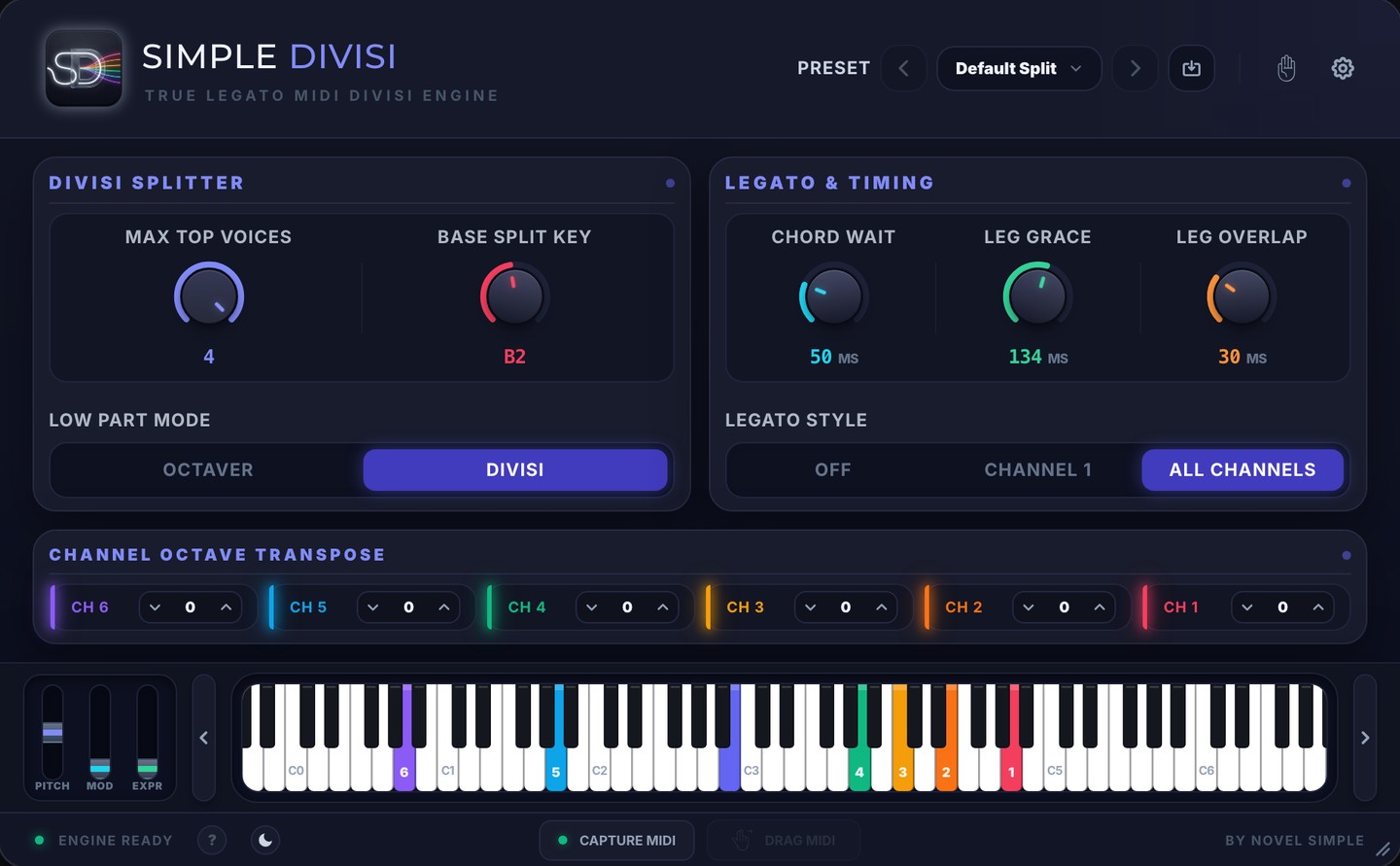
Our pick for sample-library legato (and yes, we make it)
Simple Divisi
Splits each chord you play into up to six voices, each on its own instrument, and keeps legato transitions for every part. It runs inside your DAW, captures six MIDI tracks, and you pay once.
All the options at a glance
| Tool | Best for | Price | Where it runs |
|---|---|---|---|
| Simple Divisi | Six parts with legato kept, in any major DAW | $19.99 once until 3 Dec 2026 (regular $49) | Plugin, plus a standalone app |
| Divisimate Micro | Four parts in a plugin | $49 | Plugin only |
| Divisimate Core | Eight voices and many ports in a plugin | $149 | Plugin only |
| Divisimate 2 | Large templates and live rigs | $249 | Standalone and plugin |
| Logic Studio Strings | Logic users who only need Apple’s strings | Included with Logic Pro | Logic Pro |
| Pie Plate | Ableton Live users | $19 | Ableton Live 11 and 12 |
Voice by voice
Each voice stays on its instrument
A note you’re holding never moves to another instrument. New notes wait for a free voice, so the parts stay where you put them.
Keep the take
Six MIDI tracks, ready to edit
Press Capture MIDI and play. Drag the result into your DAW and it arrives as six MIDI tracks. Or record all six tracks live.
Six voices, true legato, one payment
Which should you choose?
You write with legato sample libraries
Simple Divisi keeps each voice connected so every part plays its legato transitions, and you can match the timing to your library with Leg Grace and Leg Overlap.
You need more than six parts
Divisimate Core and Divisimate 2 handle eight voices and far more ports, with arpeggiators and humanising.
You only use Logic’s Studio Strings
Its Auto Voice Split assigns chord notes to the players in that instrument’s section, at no extra cost.
You’ve already recorded the chords
Your DAW can split them afterwards. See how to split chords into separate MIDI channels.
See Simple Divisi in action
One payment. Yours to keep.
- Six output channels with legato on every part
- AU, VST3 and a standalone app
- Mac and Windows
- Logic Pro, Cubase, Studio One, Reaper, Bitwig, Ableton Live, FL Studio and Pro Tools
- Capture and drag six MIDI tracks
- Try everything free for 14 days first
Black Friday Sale: Simple Divisi is just $19.99 (was $49) until 3 December. No code needed.
Requires macOS 10.15 or later, or Windows 10 or later. Makes no sound itself: use it with your own instruments.
One chord in. Six voices out.
Play the parts once and hear every one on its own instrument.
More comparisons
We make Simple Divisi, so we aren’t neutral. Details about other products come from their own websites, checked on 6 November 2026, and may have changed since. “Not described on its site” means we couldn’t find it there, not that the product can’t do it. Sources: Divisimate Micro, Divisimate Core, Divisimate 2, Nextmidi FAQ, Divisimate product comparison, Apple: Studio Strings, Pie Plate. Divisimate, Nextmidi, Logic Pro, Pie Plate and Ableton Live are trademarks of their owners. Novel Simple isn’t affiliated with them.