
Silence removers for Mac, compared
Best silence removers for Mac in 2026
The right one depends on your editor and budget. If you edit in Final Cut Pro and just want the silence gone, here’s our pick, followed by every other good option.
Black Friday Sale: Cutomatic is just $9.99 (was $49) until December 3. No code needed.
No subscription · Works offline · Your files never leave your Mac
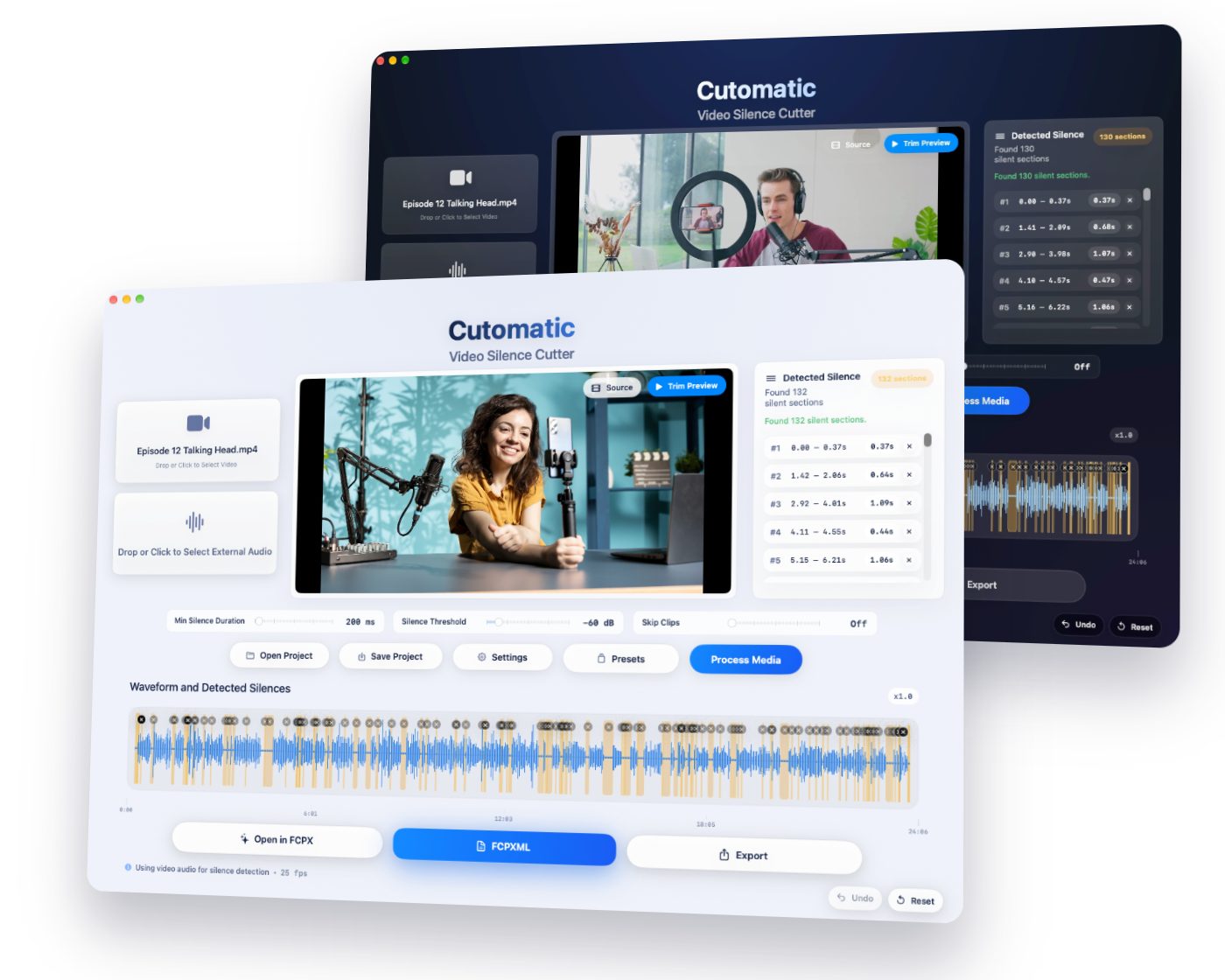
Our pick for Final Cut Pro editors (and yes, we make it)
Cutomatic
Removes silence and makes the jump cuts in under 10 seconds, then opens an editable Final Cut Pro timeline. It doesn’t re-encode, doesn’t upload, and you pay once.
All the options at a glance
| Tool | Best for | Price | For Final Cut? |
|---|---|---|---|
| Cutomatic | Final Cut Pro editors who want silence gone, for one payment | $9.99 once until 3 Dec 2026 (regular $49) | ✓ Yes |
| SilenceScout | Working inside Final Cut Pro | Page shows $99 and $129 | Yes, as a plugin |
| Recut | Several editors, or Windows and Linux | $129 once, or a subscription | Yes |
| TimeBolt | Silence and filler words | $17 a month, $97 a year, or $347 once | Paid plans |
| Gling | YouTubers wanting AI to handle bad takes | From $10 a month, paid yearly | By XML |
| Descript | Editing video by editing text | FCP export from $24–$35 a month | Creator plan and above |
| auto-editor | Free, if you’re happy in Terminal | Free | Yes |
| Selects | AI rough cuts of long shoots | Free plan, then from $16–$20 a month | Yes |
| AutoCut | Premiere Pro and DaVinci Resolve | From $6.60 a month, paid yearly | Not listed |
Stays editable
Real jump cuts on your Final Cut Pro timeline
Click Open in FCPX and your result arrives as normal, separate clips, with the jump cuts already made. Trim, move or restore any cut the way you always do.
Original quality
No re-encoding, no quality loss
Cutomatic never re-encodes your video. It only removes the pieces you don’t need, so everything that stays keeps its original quality.
Get your hours back
Which should you choose?
You edit in Final Cut Pro
Final Cut Pro doesn’t include a one-click silence remover, so you need a tool or the manual method. Cutomatic is the lowest-priced paid option here that you own outright, and you can try it free for 14 days.
You also want filler words removed
Cutomatic and SilenceScout work from audio levels, so they can’t tell an “um” from a word. Look at TimeBolt, Gling or Descript, which transcribe your speech.
You want it free
auto-editor is free and runs from the command line. Its downloads aren’t signed, so macOS may warn about them.
You don’t use Final Cut Pro
Recut and TimeBolt export to other editors, and AutoCut works inside Premiere Pro and DaVinci Resolve.
See Cutomatic in action
One payment. Yours to keep.
- No subscription, ever
- No re-encoding, so no quality loss
- Works offline, on your Mac
- Your files never leave your computer
- Tested with Final Cut Pro 11 and later
- Try everything free for 14 days first
Black Friday Sale: Cutomatic is just $9.99 (was $49) until December 3. No code needed.
Requires macOS 12.4 (Monterey) or later.
Get your hours back
A clean, editable timeline in under 10 seconds. Pay once, use forever.
More comparisons
We make Cutomatic, so we aren’t neutral. Details about other products come from their own websites, checked on 5 November 2026, and may have changed since. Sources: Selects pricing, Selects for Final Cut Pro, AutoCut pricing, auto-editor. Other product names are trademarks of their owners. Novel Simple isn’t affiliated with them. Final Cut Pro is a trademark of Apple Inc.