
Descript alternative for Final Cut Pro editors
Remove silence without leaving Final Cut Pro behind
You don’t need to learn a second editor or pay monthly for one step. Cutomatic removes the silence and hands you an editable timeline in Final Cut Pro, in under 10 seconds.
Black Friday Sale: Cutomatic is just $9.99 (was $49) until December 3. No code needed.
No subscription · Works offline · Your files never leave your Mac
$9.99, once
No monthly plan. Sale price until 3 December, then $49
Your editor
Keep working in Final Cut Pro
macOS 12.4+
Runs on older Macs too
No re-encoding
Your footage keeps its original quality
Cutomatic and Descript compared
| Cutomatic | Descript | |
|---|---|---|
| Price | $9.99 once until 3 December 2026 (regular price $49) | Final Cut Pro export starts on the Creator plan, $24–$35 per person a month |
| Into Final Cut Pro | ✓ Open in FCPX, with all of it editable | FCPXML export. Leaves out some items, such as transitions and titles |
| Your files | ✓ Stay on your Mac | Uses cloud storage |
| Mac needed | ✓ macOS 12.4 or later | macOS 14 or later |
| Try it first | ✓ 14 days, every feature | Free plan with 60 minutes a month, and no timeline export |
Stays editable
Real jump cuts on your Final Cut Pro timeline
Click Open in FCPX and your result arrives as normal, separate clips, with the jump cuts already made. Trim, move or restore any cut the way you always do.
Original quality
No re-encoding, no quality loss
Cutomatic never re-encodes your video. It only removes the pieces you don’t need, so everything that stays keeps its original quality.
Private and offline
Your footage stays on your Mac
Nothing is uploaded, and no one else’s server sees your recording. You only need to be online to activate, and once every 30 days to keep it activated.
Keep your editor, lose the silence
Done in three steps
1
Load your video
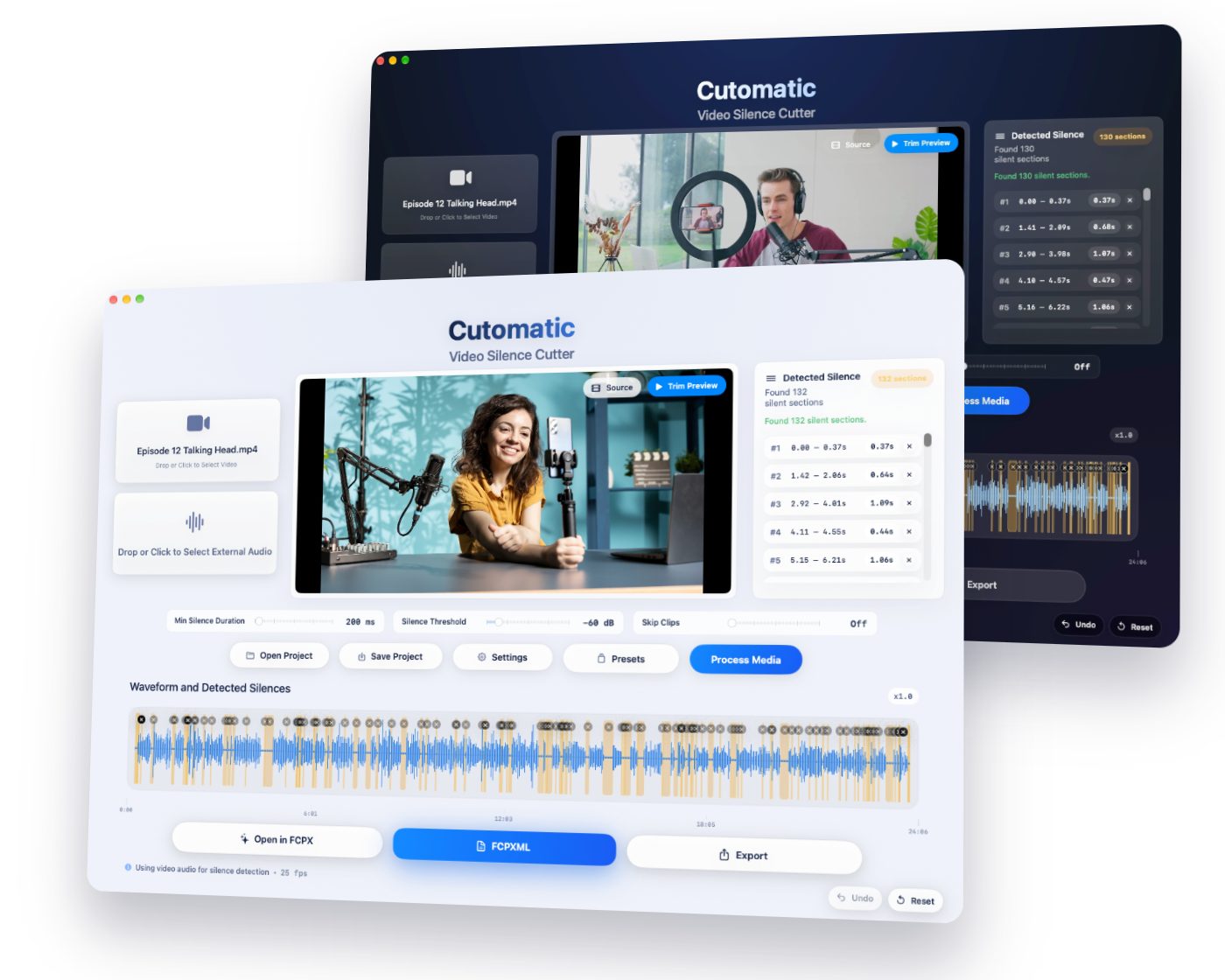
Drop in your recording, with separate audio if you have it.
2
Click Process Media
Every silent section appears on the waveform.
3
Open in Final Cut Pro
Your jump cuts are already made and fully editable.
See Cutomatic in action
One payment. Yours to keep.
- No subscription, ever
- No re-encoding, so no quality loss
- Works offline, on your Mac
- Your files never leave your computer
- Tested with Final Cut Pro 11 and later
- Try everything free for 14 days first
Black Friday Sale: Cutomatic is just $9.99 (was $49) until December 3. No code needed.
Requires macOS 12.4 (Monterey) or later.
When might Descript suit you better?
Descript is a complete editor. If you like editing video by editing text, or want filler words removed and AI audio clean-up, it does those and Cutomatic doesn’t.
Questions
Do I need Descript if I use Final Cut Pro?
Not to remove silence. Cutomatic does that step and you carry on in Final Cut Pro as usual.
Is Cutomatic a subscription?
No. You pay once and keep it. You can try it free for 14 days first.
Does Cutomatic remove filler words?
No. Cutomatic removes silence and pauses, based on the audio level and the settings you choose. It doesn’t transcribe your speech or remove words like “um”.
What do I need to run it?
A Mac with macOS 12.4 or later. It’s tested with Final Cut Pro 11 and later.
Get your hours back
A clean, editable timeline in under 10 seconds. Pay once, use forever.
More comparisons
We make Cutomatic, so we aren’t neutral. Details about other products come from their own websites, checked on 5 November 2026, and may have changed since. Sources: Descript pricing, Descript timeline exports, Descript system requirements. Descript is a trademark of its owner. Novel Simple isn’t affiliated with them. Final Cut Pro is a trademark of Apple Inc.